Platform Users
Manage all platform users as a platform administrator
Overview
The Users tab under Platform Management lets a platform administrator view and manage every user account on the platform, across all workspaces. It's only visible to users with the platform admin role.
To access it, go to Platform Management in the sidebar, then select the Users tab.
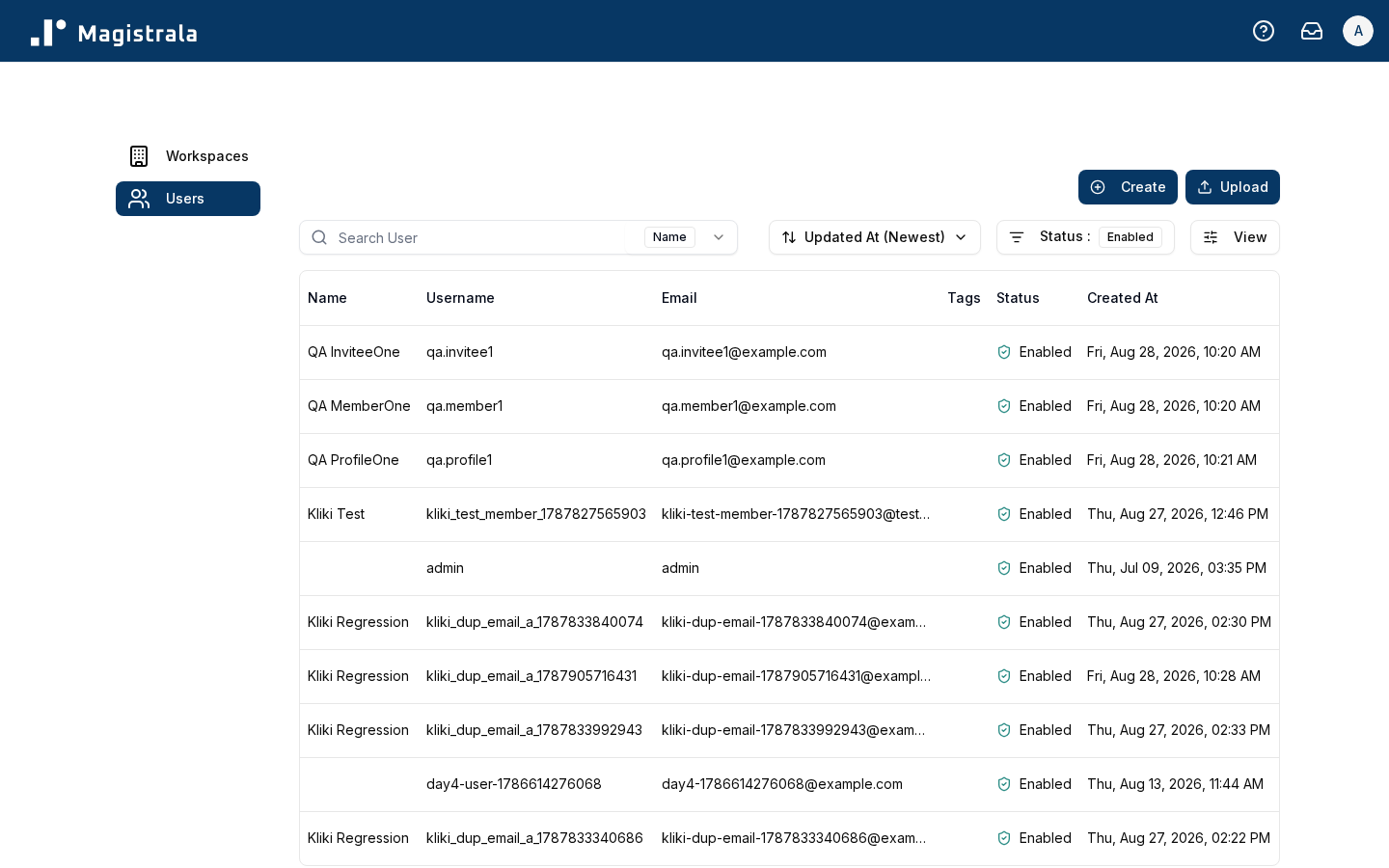
The table can be filtered by first name, last name, username, email, ID, tag, and status.
Create a user
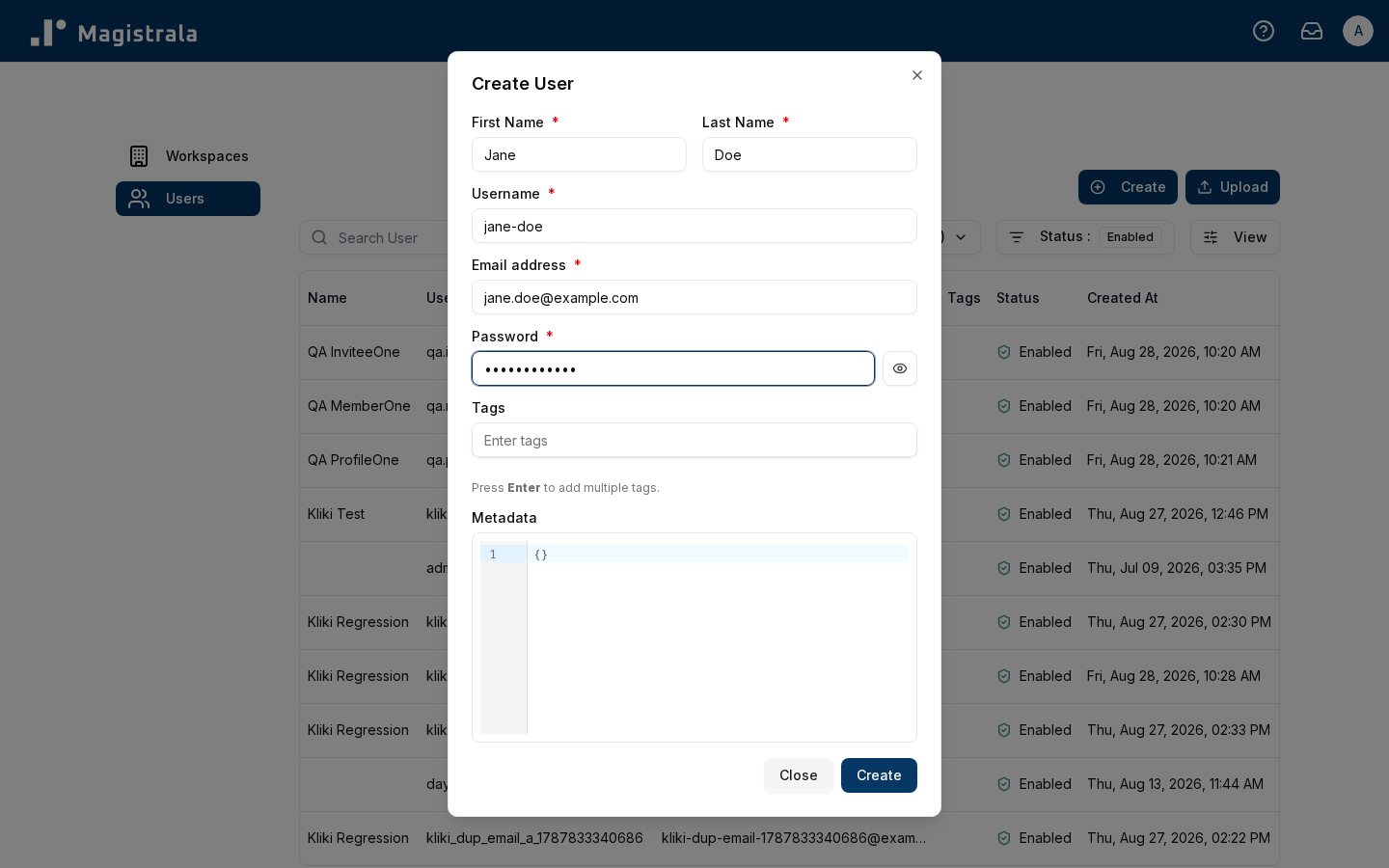
Click + Create to open the create-user form.
| Property | Description | Required |
|---|---|---|
| First Name | The user's first name | ✅ |
| Last Name | The user's last name | ✅ |
| Username | A unique username for login | ✅ |
| The user's email address | ✅ | |
| Password | The user's initial password | ✅ |
| Tags | Free-form tags for organizing users | Optional |
| Metadata | Custom JSON metadata | Optional |
Bulk create users
Click Bulk Create to create multiple users at once from a CSV file. A sample CSV is linked directly in the dialog.
The CSV must have these column headers:
| Header | Description |
|---|---|
| Username | Login username |
| FirstName | First name |
| LastName | Last name |
| Email address | |
| Secret | Initial password |
| Tags | JSON array, e.g. ["a","b"] — can be empty |
| Metadata | JSON object — can be empty |
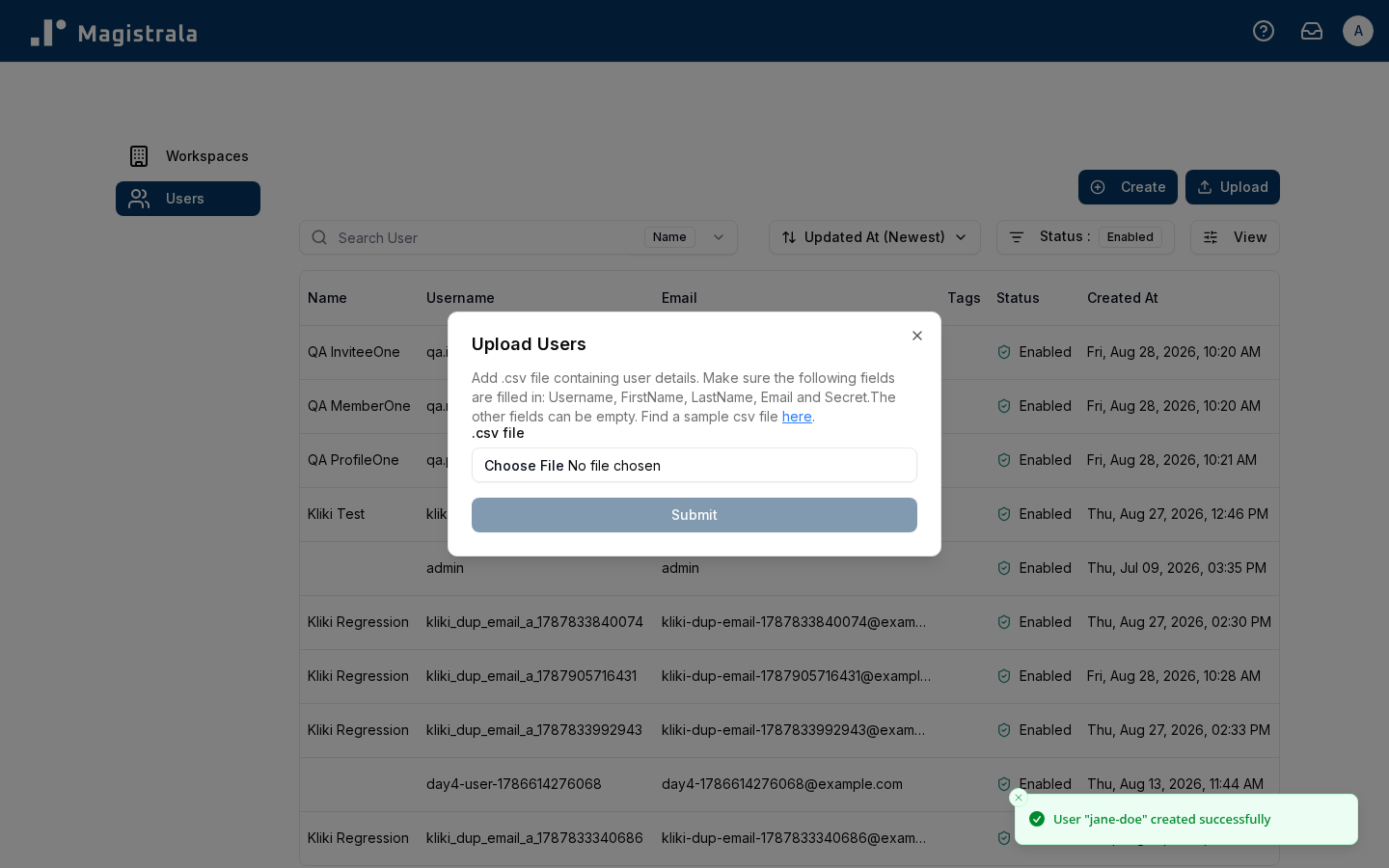
Each row is created individually and reported back on its own: a row with an invalid email, a missing required field, or malformed JSON in Tags/Metadata is skipped with an error naming that row number, while every valid row is still created. You'll see a per-row success or failure toast, plus a final summary once the whole file has been processed.
Manage a user
Click a row to open a user's detail page.
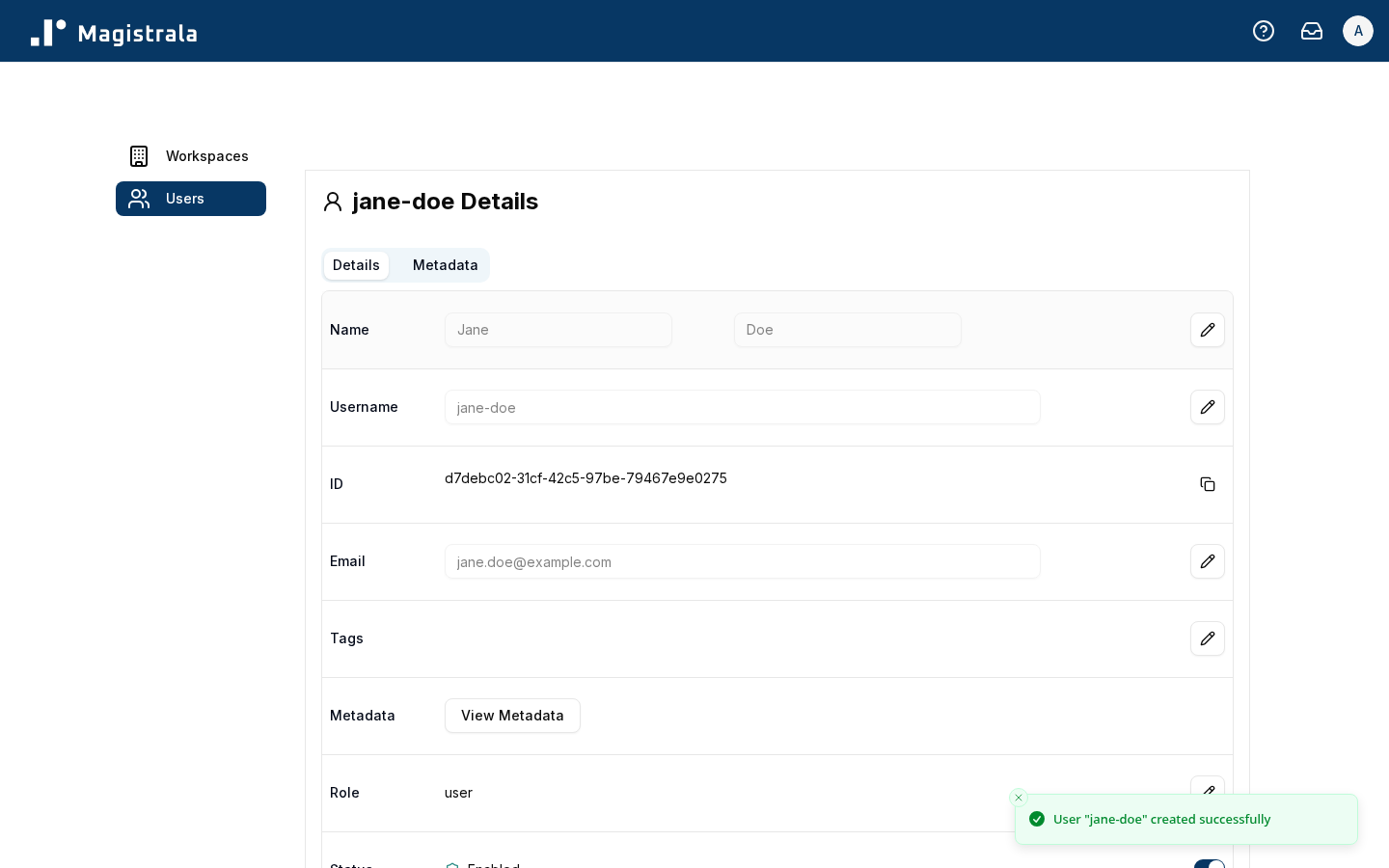
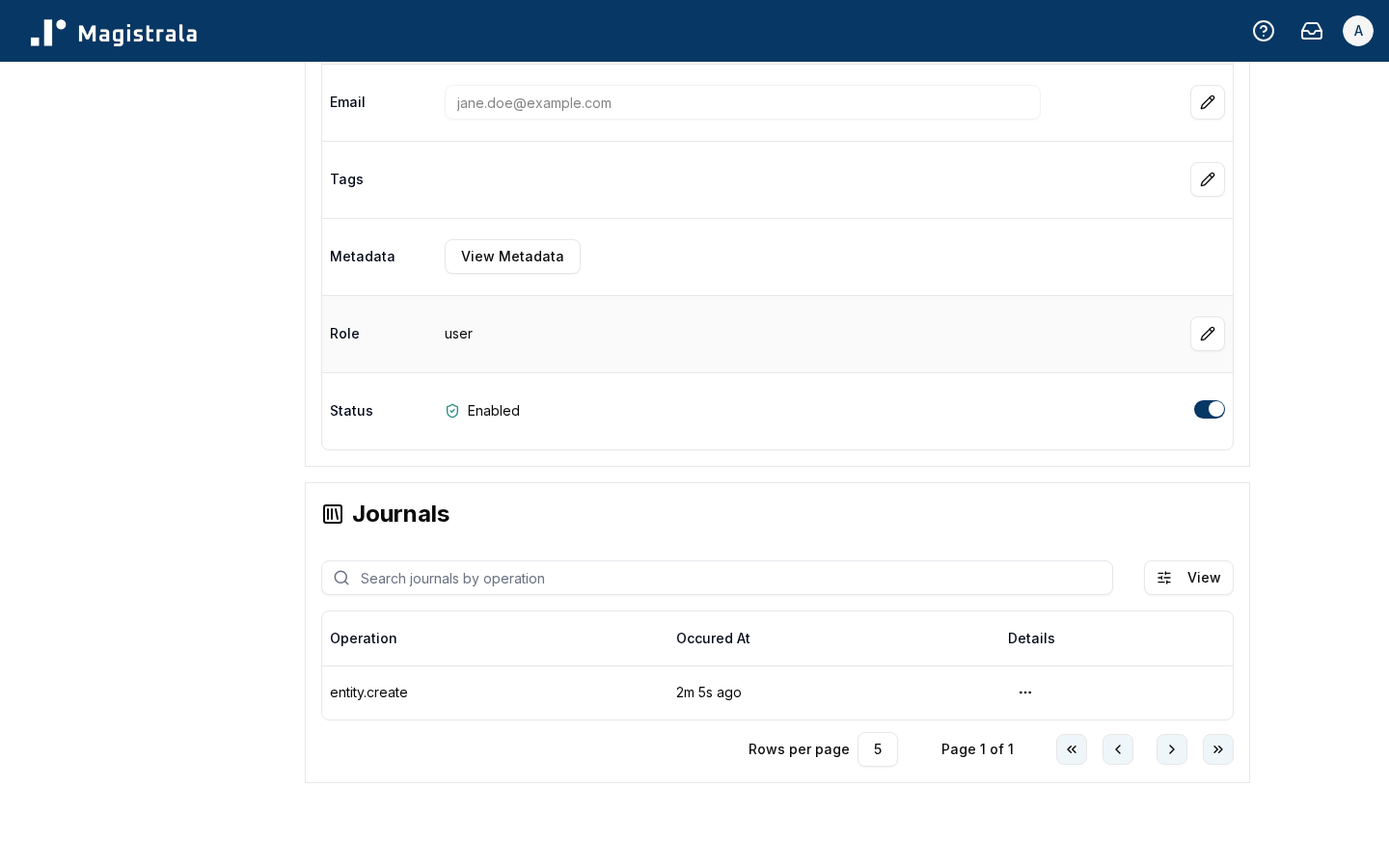
Details tab
| Field | Description |
|---|---|
| Name | First and last name — editable inline |
| Username | Editable inline |
| ID | Read-only |
| Editable inline | |
| Tags | Editable via a dialog |
| Metadata | Shown read-only here as a summary; edit it from the Metadata tab |
| Role | Toggle between platform admin and regular user via a confirmation dialog |
| Status | Toggle between enabled and disabled via the switch next to the status badge |
Metadata tab
A full key/value editor for the user's metadata — add, edit, or remove entries directly, independent of the Details tab's read-only summary.
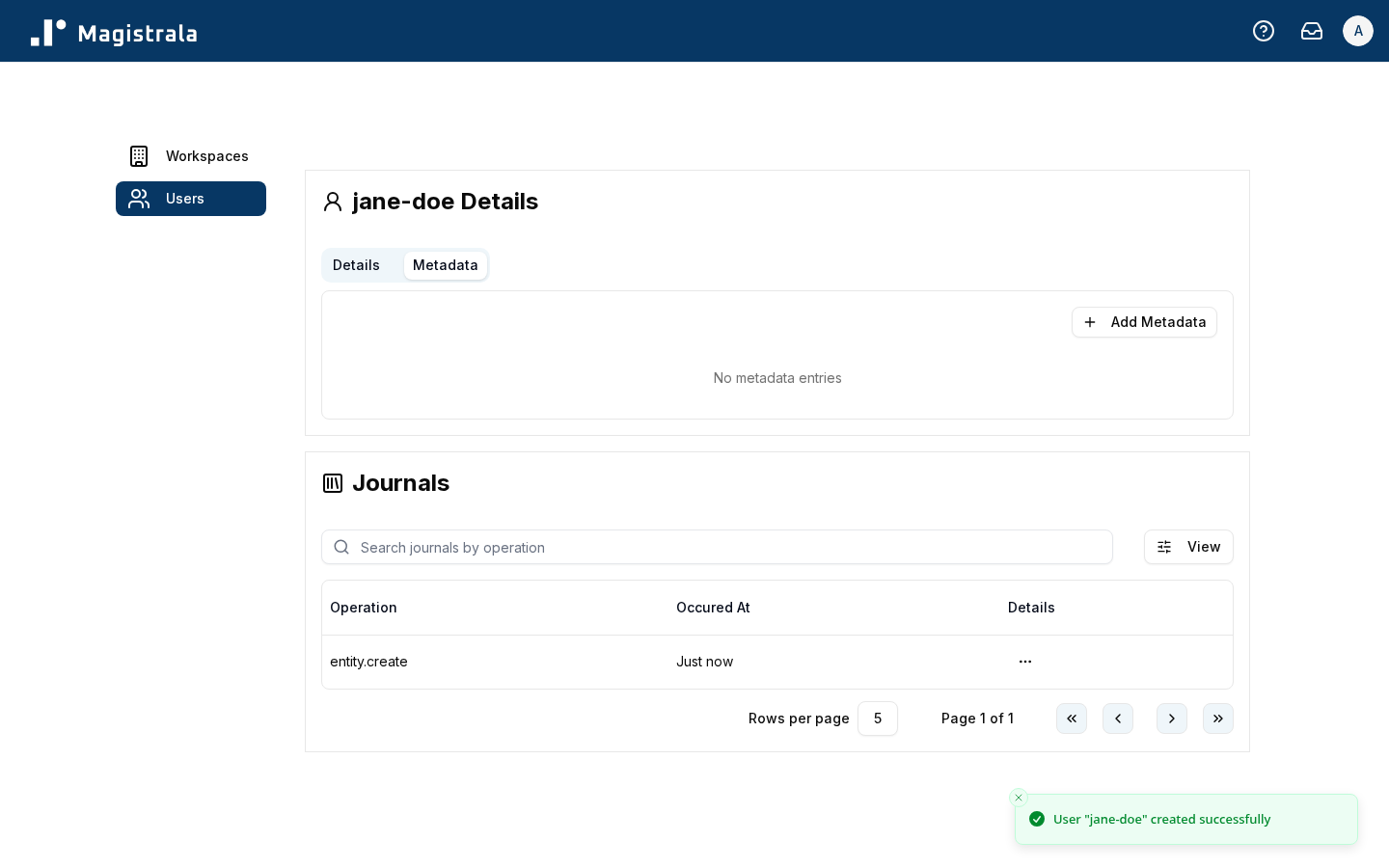
Journals
Below the tabs, every user detail page shows a Journals section — a paginated, filterable audit log of actions recorded against that user (filterable by operation).