
Device Types
Declare what a class of device measures and accepts, and bind devices to a shared, versioned declaration
A Device Type is a named, versioned declaration of what a class of device measures and accepts — for example, a "Water Meter" type that reports total_volume, flow_rate, and battery. Binding a device to a Device Type gets its attributes validated against that declaration on every write, instead of every device carrying its own ad-hoc set of fields.
Device Types are scoped to a single workspace — there is no shared or global catalogue across workspaces. Every new workspace starts with a small default catalogue (Water Meter, Pressure Sensor, Energy Meter, Pump Controller) that you can use as-is, edit, or ignore in favor of your own types.
Device Types are available in both the Community and Enterprise editions.
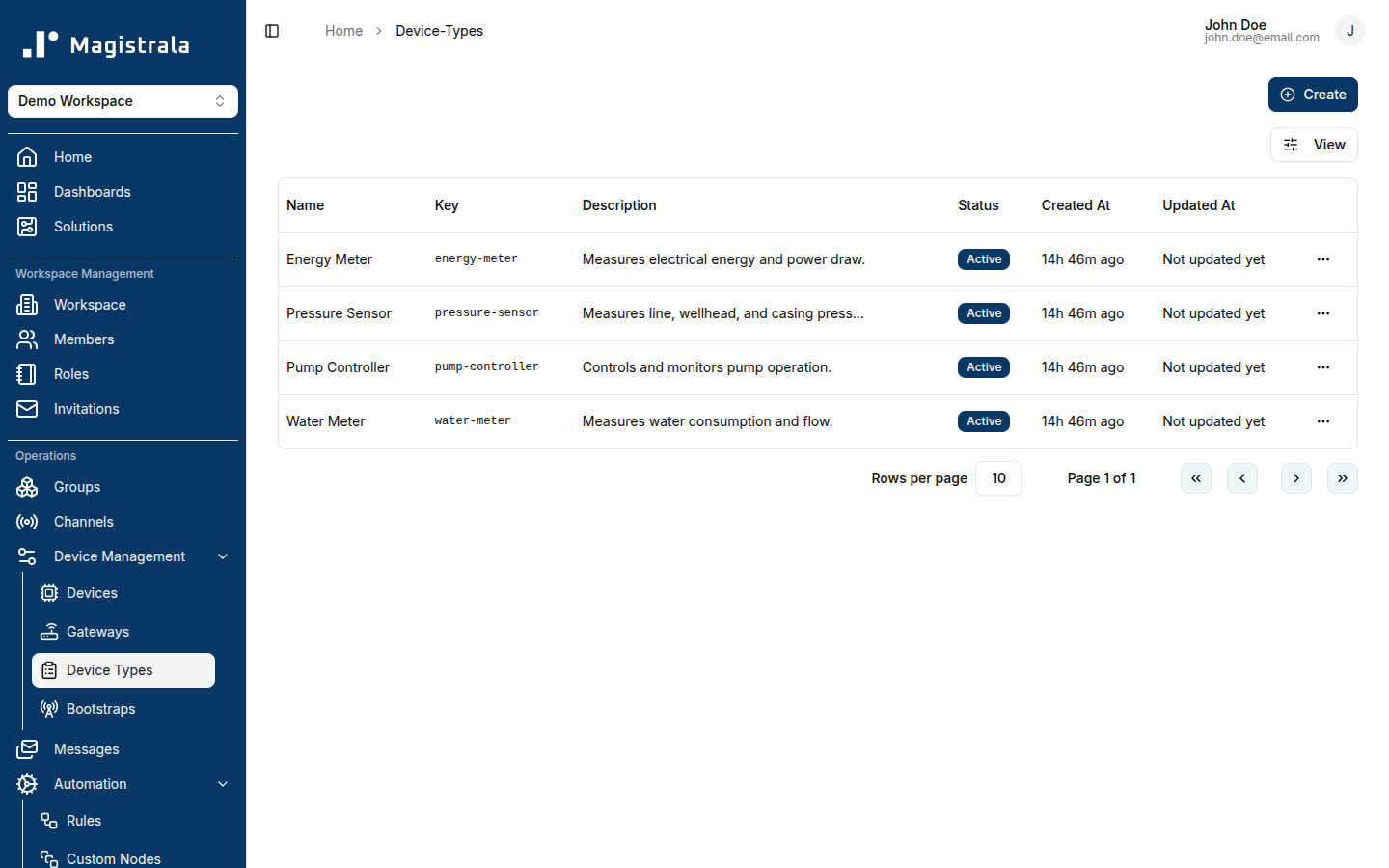
Create a Device Type
Click Create on the Device Types page. Creating a type only registers its identity — you add what it actually declares (its attributes and commands) afterward, from the Versions tab. This is a deliberate two-step process: a type has no way to be deleted once created (see Retiring a Device Type), so creation and declaration are kept separate.
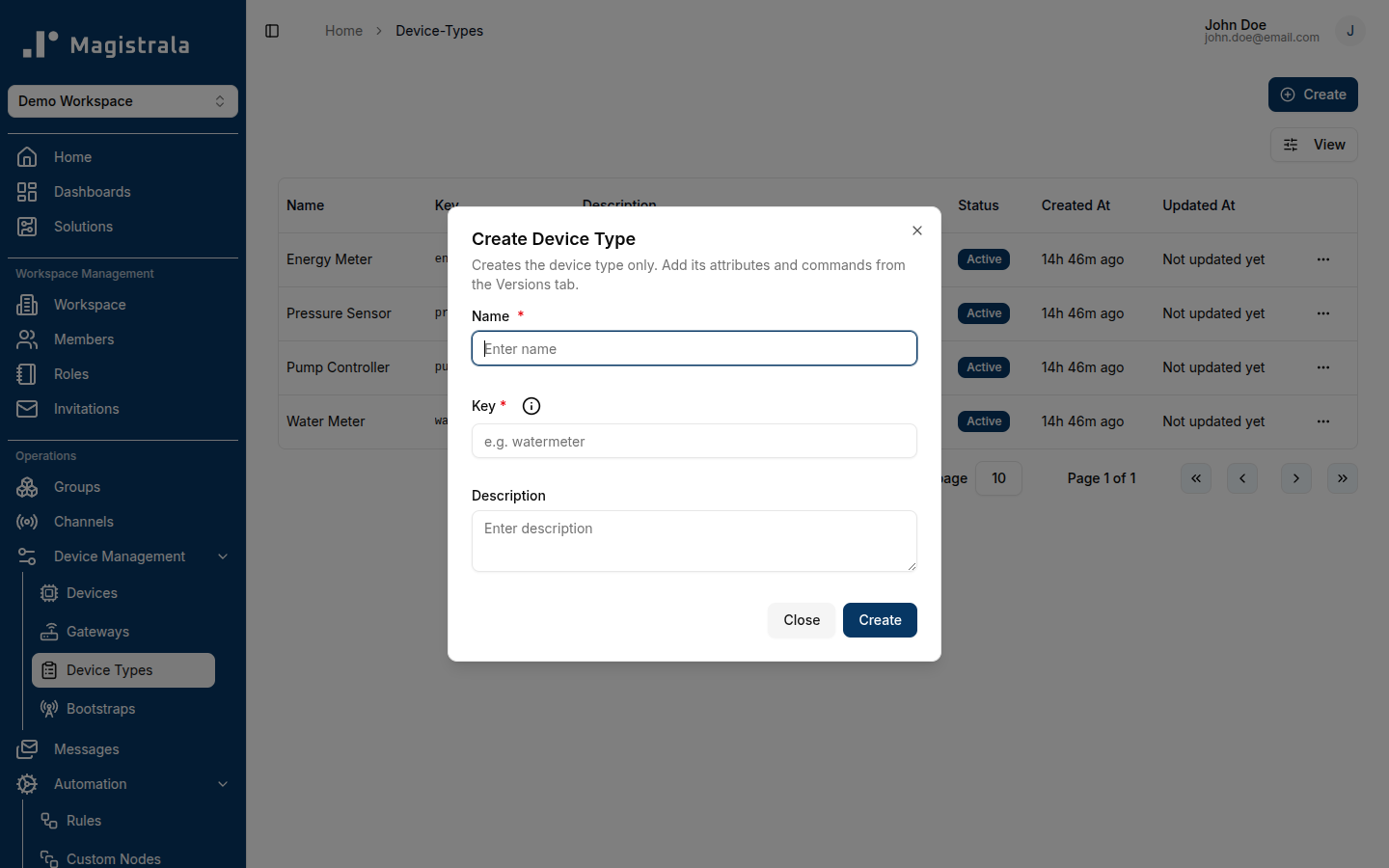
A Device Type requires:
- Key – identifies the type within the workspace and cannot be changed after creation. Lowercase letters, digits, dots, dashes, and underscores only (e.g.
watermeter). - Name – display name.
- Description – optional.
View and manage a Device Type
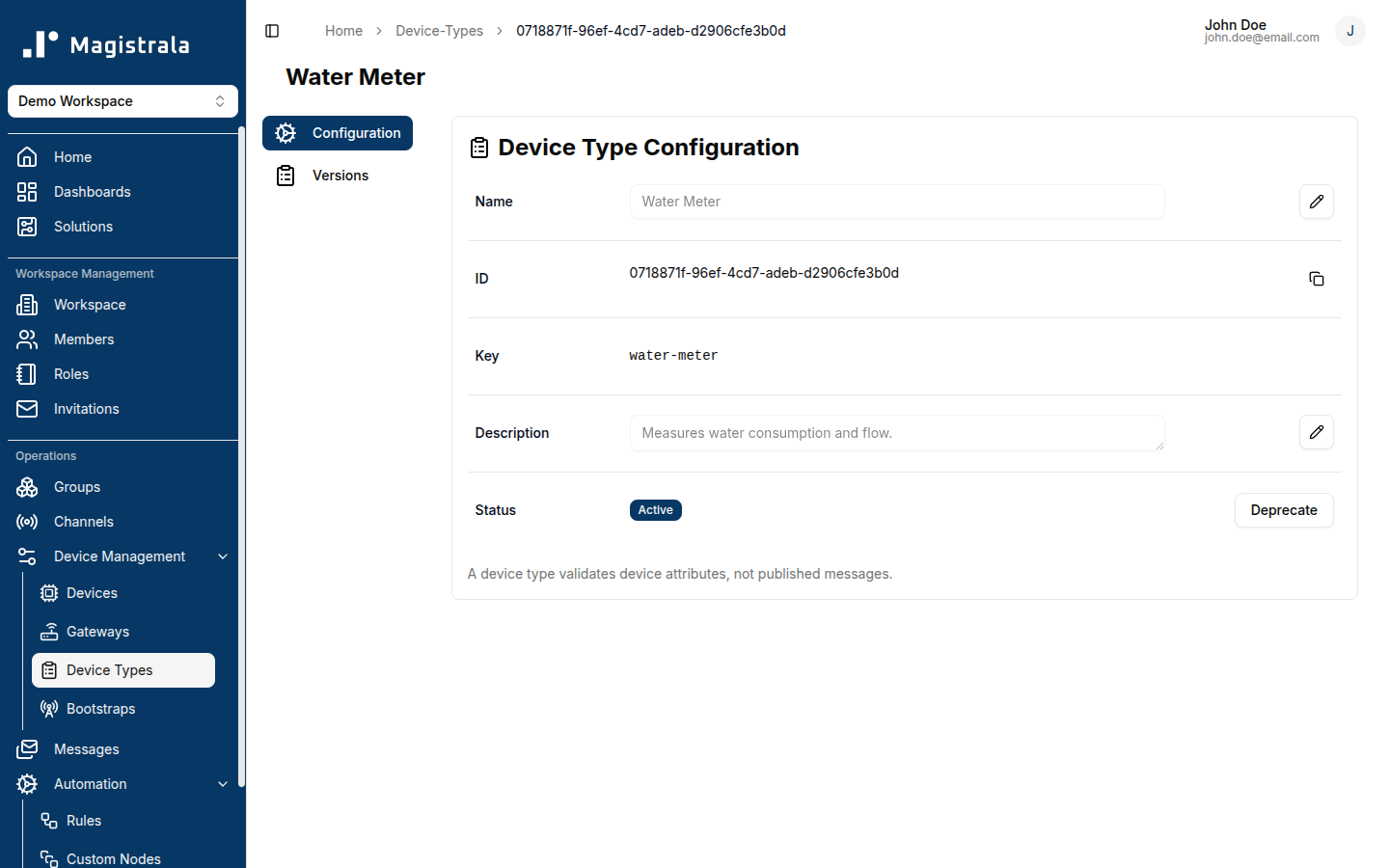
Device Types are listed on the Device Types page, filterable by status. Click a row to open its detail page, which shows the type's Key, Name, Description, and Status, and links to its Versions (see Device Attributes, Commands, and Versions).
Retiring a Device Type
There is no delete operation for a Device Type — Atom, the underlying validation service, has no operation to remove one. A type is retired by changing its status instead, using the Deprecate action (and Reactivate to undo it):
- Active – new devices can be bound to it.
- Deprecated / Disabled – no new device can be bound to it, but devices already bound are unaffected and keep working exactly as before.
Community vs Enterprise
Device Types have no edition-specific behavior today — the feature is identical in Community and Enterprise.